
How to Create Your First Free SMP on NodeCrest
Create a private survival world from the lobby, choose your Minecraft version and learn what to do when your server is starting, sleeping or archived.
You can create your own private Minecraft survival world from inside NodeCrest. The lobby menus handle setup and startup, so you can spend your time building instead of configuring hosting software.
1. Open the SMP menu
Join play.nodecrest.com, then use /menu or your Server Menu Item to open the game modes menu. Choose SMP to reach your personal world controls. If you have not created a server yet, select Create Your World.
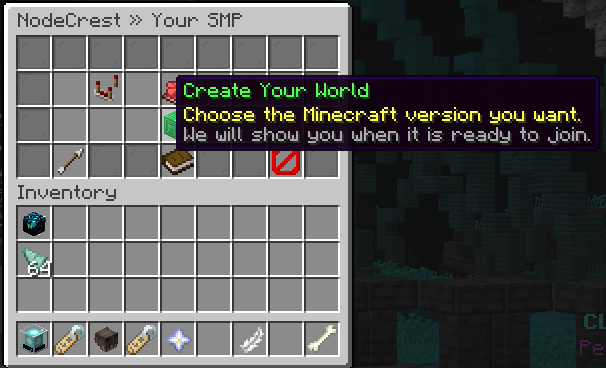 The Create Your World option in the NodeCrest SMP menu.
2. Choose your Minecraft version
The creation menu lists the versions currently available on NodeCrest. The recommended option is a useful starting point if you are making a new world and have no particular version in mind. Choose the version you intend to play, and make sure your client is compatible with it.
Select a version to request your server. Creating the world and getting it ready are separate steps, so a newly requested server may need a little time before you can join.
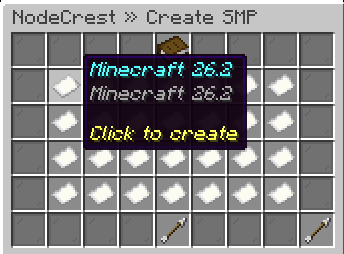 Choose from the Minecraft versions available when you create your SMP.
3. Wait for your world to be ready
Your SMP menu shows what is happening while the world is being prepared or started. A starting server is still doing work; it is not ready simply because its process has launched. Follow the current status and use the join control when the world is ready.
You only need to request a start once. Repeated clicks will not make world loading faster. If a step fails, read the message before trying again. If it keeps failing, contact support with your player name and the message you saw.
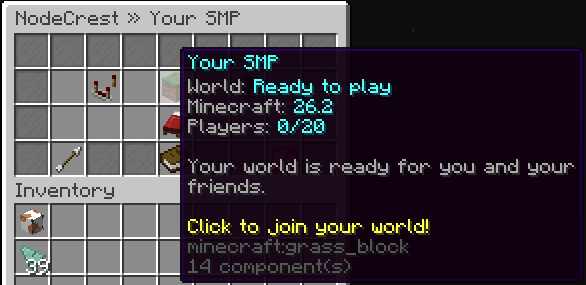 A world that has finished starting and is ready to join.
Returning to your world
An empty world can sleep to free resources. Sleeping means the server is stopped, not that you need to create another world. Open your SMP menu and choose Wake Up Your World when you want to play again.
If the menu says your server is archived, its files have been moved into storage. Starting it requests a restore of that same world before normal startup. Let the restoring and starting steps finish; do not create a replacement server. If restoration fails, ask support to check the existing world.
You can also use Save & Stop World when you are finished. Tell anyone playing with you before stopping the server.
Make it yours
Once your world is set up, invite friends and manage world visits or customize your world settings. Private worlds are player-managed, and the NodeCrest safety rules still apply.
Keep exploring
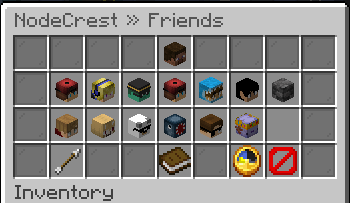
How to Play With Friends on Your NodeCrest SMP
Add friends, accept requests and control who can visit your world. Learn why friendship and world access are separate, and how to join an available friend's SMP.
6 Oct 2026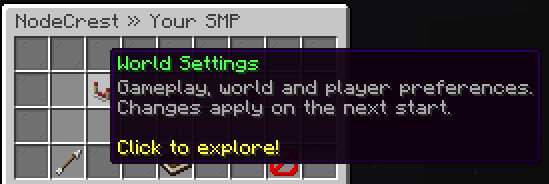
Customize Your SMP With NodeCrest World Settings
Find difficulty, PvP, access and advanced controls in World Settings. Save your choices, understand when they apply and give your world a useful greeting.
6 Oct 2026
Controlling Who Can Visit Your SMP
Understand World Visits, direct invitations and whitelist controls so you can keep your private world accessible to the right players.
6 Oct 2026